Transforming Points Using Camera Matrix
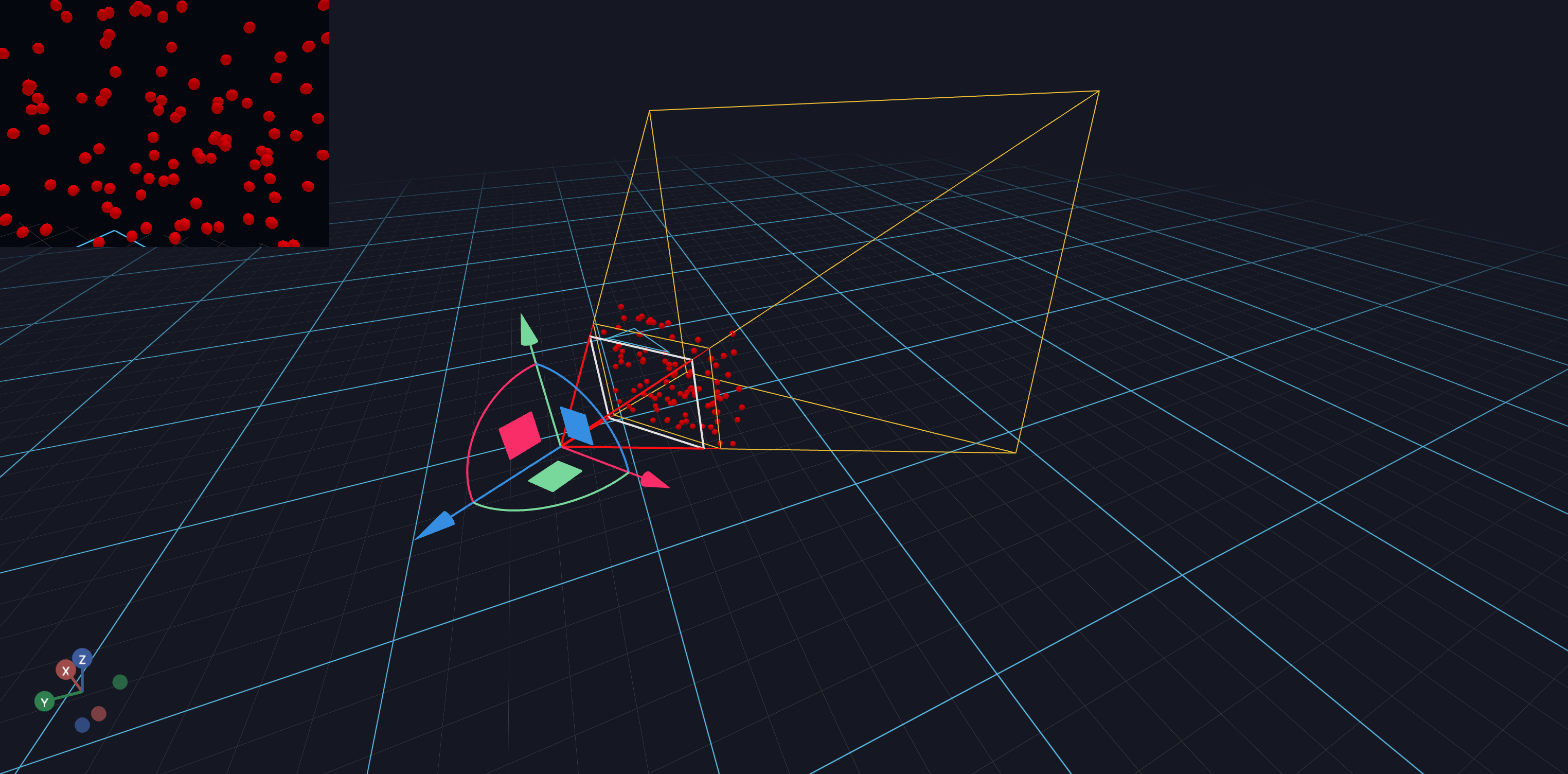
This tutorial shows how to transform points from camera space to world space using the camera's transformation matrix. This is useful when you need to:
- Place objects relative to the camera's view
- Visualize the camera frustum with sample points
- Project points between coordinate systems
This tutorial will teach you how to:
- Sample random points within a camera frustum
- Transform points using homogeneous coordinates
- Update scene objects in response to camera movement
Step 1: Define Frustum Sampling Function
First, we create a helper function to sample random points within the camera frustum. The frustum is the visible volume between the near and far clipping planes.
Points are sampled in view space where X is right, Y is up, and Z points backward.
Step 2: Define Point Transformation Function
To transform points from camera space to world space, we use the camera's 4x4 transformation matrix. We convert 3D points to homogeneous coordinates (adding a fourth component of 1), multiply by the matrix, and extract the 3D result.
Step 3: Set Up the Scene and Camera Movement Handler
We create a scene with a movable CameraView and register a handler to track when the camera is moved. When the camera matrix changes, we'll update the positions of the sample points.