Line
The Line component renders lines and splines from a set of 3D points. This is ideal for:
- Visualizing camera trajectories and paths
- Drawing splines and curves
- Creating wireframe visualizations
- Displaying motion trails
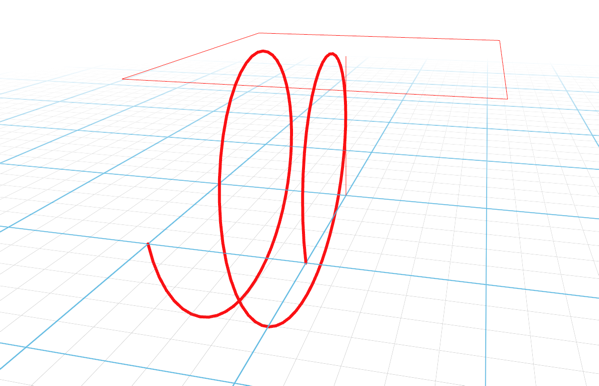
Basic Usage
A minimal example that creates a line from points:
Key Parameters
| Parameter | Type | Default | Description |
|---|---|---|---|
key | str | - | Unique identifier for the line |
points | list/ndarray | - | Array of 3D points (Vector3, Vector2, [x,y,z], [x,y], or numbers) |
color | str | "black" | Line color (hex or named color) |
lineWidth | float | 1 | Line thickness in pixels |
segments | bool | False | If true, renders LineSegments2; otherwise renders Line2 |
dashed | bool | False | Enable dashed line rendering |
vertexColors | list | - | Optional array of RGB values for each point |
Learn More
For detailed examples of using Line, see:
- Spline Frustum - Camera trajectory visualization