1. Build A Scene in Python
Vuer uses a client-server architecture where you write Python code to control a 3D scene rendered in the browser. This guide will teach you the fundamentals of creating and managing 3D scenes.
By the end of this tutorial series, you'll be able to create rich 3D scenes like this:
Expected scene: a complete scene with diverse geometry, materials, textures, and dramatic lighting
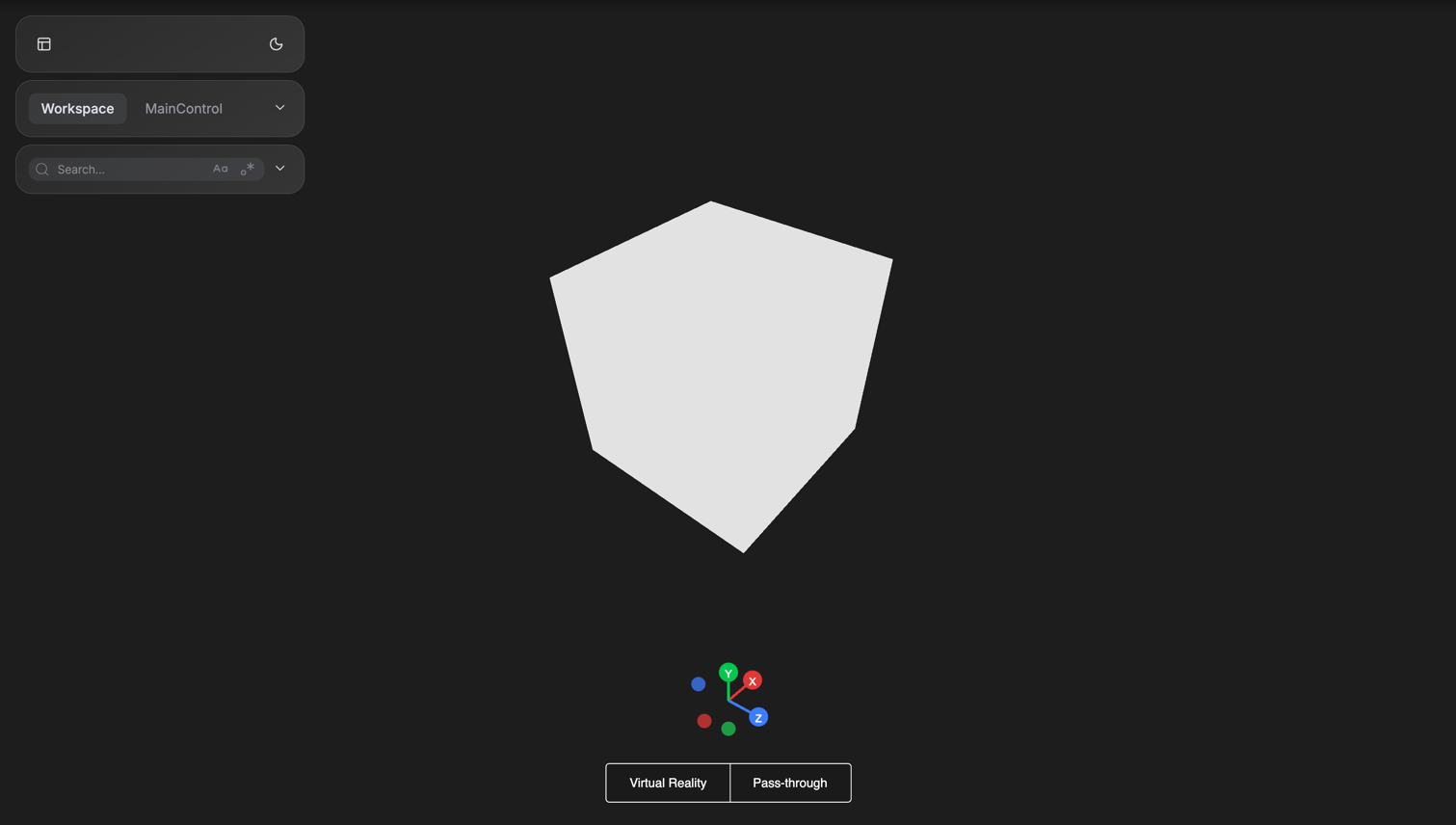
But we'll start simple. In this guide, you'll learn to build your first basic scene:
a simple box
How Vuer Works
Vuer uses a client-server architecture:
- Python Server: Where you write your logic and control the scene
- Web Client: Renders the 3D scene in the browser using Three.js
- WebSocket: Real-time bidirectional communication
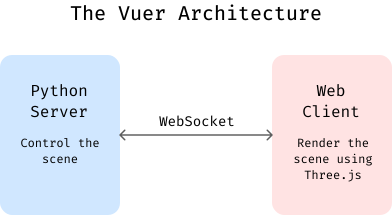
Each browser connection creates an independent session, allowing multiple users to view different scenes simultaneously.
Creating a Scene
Here's a complete example that creates a simple scene with box:
Understanding the Code:
app = Vuer(): Creates the server instance@app.spawn(start=True): Binds the function to handle client connections and starts the serversession.set @ Scene(...): Initializes the 3D scene for this clientBox(...): Creates a 3D box with position, rotation, and materialawait session.forever(): Keeps the connection alive
Run the script and you'll see the simple box scene shown at the beginning:
Next Steps
Now that you can create basic scenes, learn about:
- Materials and Textures - Making objects look good
- Camera Control - Viewing your scene
- Lights - Illuminating your world